from $600
Inquiry

4 Days – 3 Nights: Bahariya Oasis, White Desert

Not Rated
Duration

4 days

Tour Type

Specific Tour

Group Size

Unlimited

English
Languages

___

Day 1

Your guide will pick you up from your hotel in Cairo. Upon arrival you will have lunch and dinner in Bahariya Oasis. Overnight stay: Sahara Camp

Day 2

After breakfast you will visit the Black Desert, Crystal Mountain & Agabat. Overnight stay: Agabat Mountain Camp.

Day 3

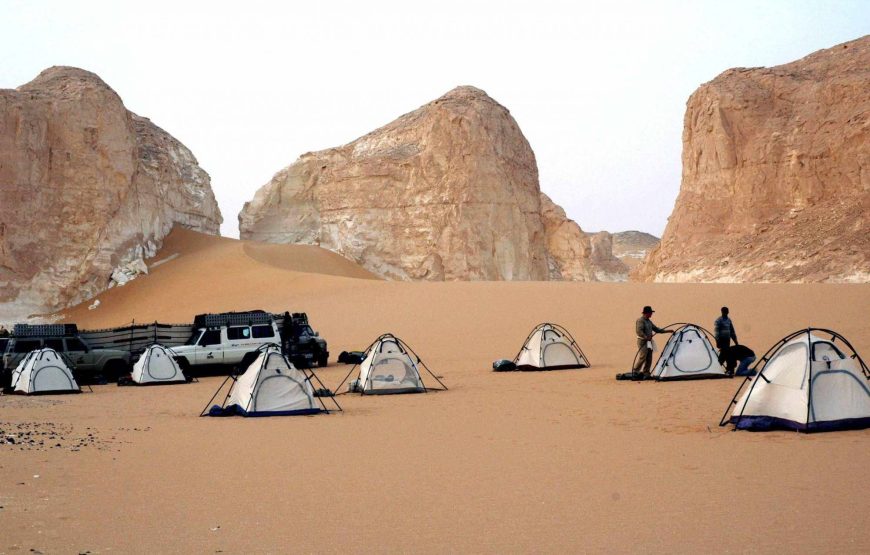
After breakfast, you will visit the Flower Desert, Tent Valley, Akasiya Tree and Magic Roman Springs. There will be a lunch in Roman Springs, followed by a visit to the New White Desert to stay the night. Overnight stay: The New White Desert Camp.

Day 4

After breakfast you will visit the Mashroum Old White Desert. There will be lunch back in Bahariya Oasis, before going back to Cairo

Maximum 4 people per 4 x 4 Car. For excursions with more than 4 persons, please contact us.

Highlights

  • Bahariya Oasis is the first real desert oasis in Egypt. It is located 365 Kilometer south-west of Cairo, which is about a 4.5 hour drive from Cairo

Day 1
Day 1

Your guide will pick you up from your hotel in Cairo. Upon arrival you will have lunch and dinner in Bahariya Oasis. Overnight stay: Sahara Camp

Day 2
Day 2

After breakfast you will visit the Black Desert, Crystal Mountain & Agabat. Overnight stay: Agabat Mountain Camp.


Day 3
Day 3

After breakfast, you will visit the Flower Desert, Tent Valley, Akasiya Tree and Magic Roman Springs. There will be a lunch in Roman Springs, followed by a visit to the New White Desert to stay the night. Overnight stay: The New White Desert Camp.


Day 4
Day 4

After breakfast you will visit the Mashroum Old White Desert. There will be lunch back in Bahariya Oasis, before going back to Cairo


  • Private transfers Cairo - Bahareya - Cairo
  • Driver, guides, assistants, provision of the 4x4
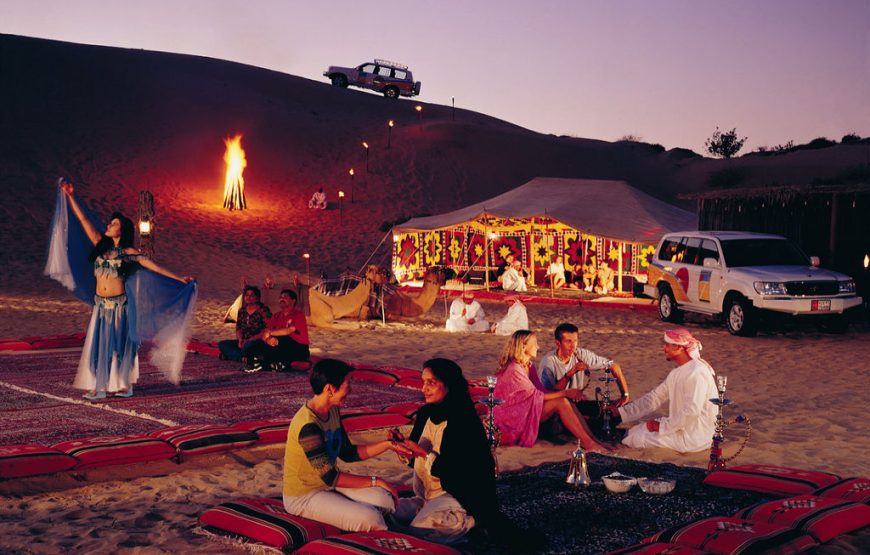
  • All materials for the bivouac (thick mattress, covers, pillows, carpet, table)
  • Full pension (cold breakfasts, lunches, hot dinners simmered on wood fire with
  • fresh products)
  • Drinks (teas, coffee, sodas, mineral water)
  • Alcoholic beverages not included.

Tour's Location

Reviews

0/5
Not Rated
Based on 54,759 reviews
Excellent
0
Very Good
0
Average
0
Poor
0
Terrible
0
4 Days – 3 Nights: Bahariya Oasis, White Desert
Susannah
16/09/2026
Hi there would you mind letting me know which web host you're using? I've loaded your blog in 3 different browsers and I must say this blog loads a lot quicker then most. Can you recommend a good internet hosting provider at a honest price? Thanks, I appreciate it! Feel free to visit my web blog ... <a href="https://elitproje.com.tr/" rel="nofollow ugc">elitproje.com.tr</a>
4 Days – 3 Nights: Bahariya Oasis, White Desert
Jayme
16/09/2026
I'm impressed, I have to admit. Rarely do I come across a blog that's both educative and entertaining, and let me tell you, you've hit the nail on the head. The problem <a href="https://www.goodreads.com/user/show/183482043-c-p-i-n-sangjin" rel="nofollow ugc">what is electric cable</a> something that not enough men and women are speaking intelligently about. Now i'm very happy I came across this during my hunt for something concerning this.
4 Days – 3 Nights: Bahariya Oasis, White Desert
Winona
16/09/2026
Have you ever considered creating an ebook or guest authoring on other blogs? I have a blog based upon on the same information you discuss and would love to have you share some stories/information. I know my readers would appreciate your work. If you're even remotely interested, feel free to shoot me an e-mail. ## 文章 5:團隊協作無遠弗屆——如何使用 WPS 雲端實現多人編輯 隨著混合式辦公與遠距協作越來越常見,選擇一套能夠即時同步的辦公套件變成團隊的迫切需要。WPS Office 繁體中文免費版內建「WPS 雲文檔」服務,支援多人同時在線上編輯同一份文件,徹底解決傳統透過郵件反覆寄送附件的痛點。 要啟用雲端協作功能,使用者首先必須完成 WPS 帳號登入(以確保文件存取權限)。進入軟體後點擊「雲文檔」面板,選取「新建」檔案,無論是 Word 文件或 Excel 試算表都可進行協作;亦可右鍵選擇想要分享的現有文件,點選「協作」按鈕。此時系統會提供連結或電子郵件邀請,團隊管理者可設定參與者的權限層級為「僅檢視」或「可編輯」,同時保留詳細的修訂記錄與註解,確保機密或重要檔案免遭隨意修改。 在協作進行中,數名成員能同時編輯。每個游標與修改內容在彼此螢幕上即時呈現,避免了版本覆蓋與合併衝突。即使工作團隊一邊開會討論,一邊在校稿,也不必擔心誰蓋掉誰的更新。WPS 雲端平台還支援無限次版本的歷史保存,假若發生意外誤刪或內容錯誤,可隨時回溯至前次安全備份。這對於進行集團財務預算編列或大型共同報告相當實用。 再來,雲端文檔的便利不僅局限於個人電腦。WPS 支援 Windows、Mac、iOS 和 Android 等多平台跨端存取,在家中使用筆電登錄相同帳號後,文件自動同步最新進度。即使團隊成員分布在三個不同的時區,都能藉由 WPS 雲文檔保持資訊同步與透明掌握。對於開會後的分工案頭,可以啟用評論功能並標記負責人,跳過層層訊息傳遞。<a href="https://sites.google.com/view/wps-office-ai/home" rel="nofollow ugc">WPS</a> 雲端服務的高度整合,將辦公協作從一人獨自奮戰轉變為高效率的即時互動空間。 <a href="https://sites.google.com/view/wps-office-ai" rel="nofollow ugc">Wps官网下载</a> ## 文章 8:打造個人化操作環境——WPS Office 介面與功能進階設定 WPS Office 雖然版面設計直覺,然而每個人使用習慣不同,若能依自己的需求進行微調,將能大幅提升效率。這篇文章將揭示幾個進階設定技巧,讓 WPS 更貼近使用者的心。 第一,設定文件標籤模式。WPS Office 預設啟用「多標籤式」文件切換,就如同瀏覽網頁一般,讓用戶在同一視窗快速點選不同文件。如果覺得這樣會占用頂端瀏覽空間,可在「設定」功能表中調整為「多視窗模式(彈出獨立視窗)」,方便雙螢幕用戶對照多份合約或數據專案。 第二,改變預設儲存格式與自動備份頻率。許多使用者發現 WPS 儲存文件預設為 .wps(個人)或特定格式,若經常與微軟 Office 用戶交換文件,可於進階設定中將「預設儲存」調整為 .docx 或 .pptx。同時,建議啟用「定時備份」功能,選取每 5 到 10 分鐘自動備份草稿。即使面臨停電或當機,也能將損失降到最低。 第三,整合個人化快捷鍵。若用戶習慣使用 Ctrl+S 的標準儲存快捷鍵,可延伸到自身常用的批次轉換或表格凍結功能。另外,在「功能定制」選項中關閉「線上資源推薦」和「特色功能推薦」,能大幅減少應用程式頂端的稻殼模組廣告。對於介面美學有要求的人,新版 WPS 內鍵數套色彩樣式與夜間模式,可在長時間工作時保護眼睛。 還有一個非常實用的客製化設定:調整預設字體。許多學術論文或公函需要指定的標題與內文字型(如 Times New Roman),透過修改預設樣式能確保每次開新文件直接套用,節省逐一設定的時間。使用者也可將常用的功能按鈕獨立拉出選單列。逐步調校之後,WPS Office 將不再是死板的軟體,而是拓展工作想像力的一扇窗戶。 <a href="https://sites.google.com/view/wps-office-ai" rel="nofollow ugc">Wps 官网 下载 | 繁體中文版</a>
View More
Showing 229 - 231 of 54,759 in total

Write a review

from $600

Inquiry

    You might also like